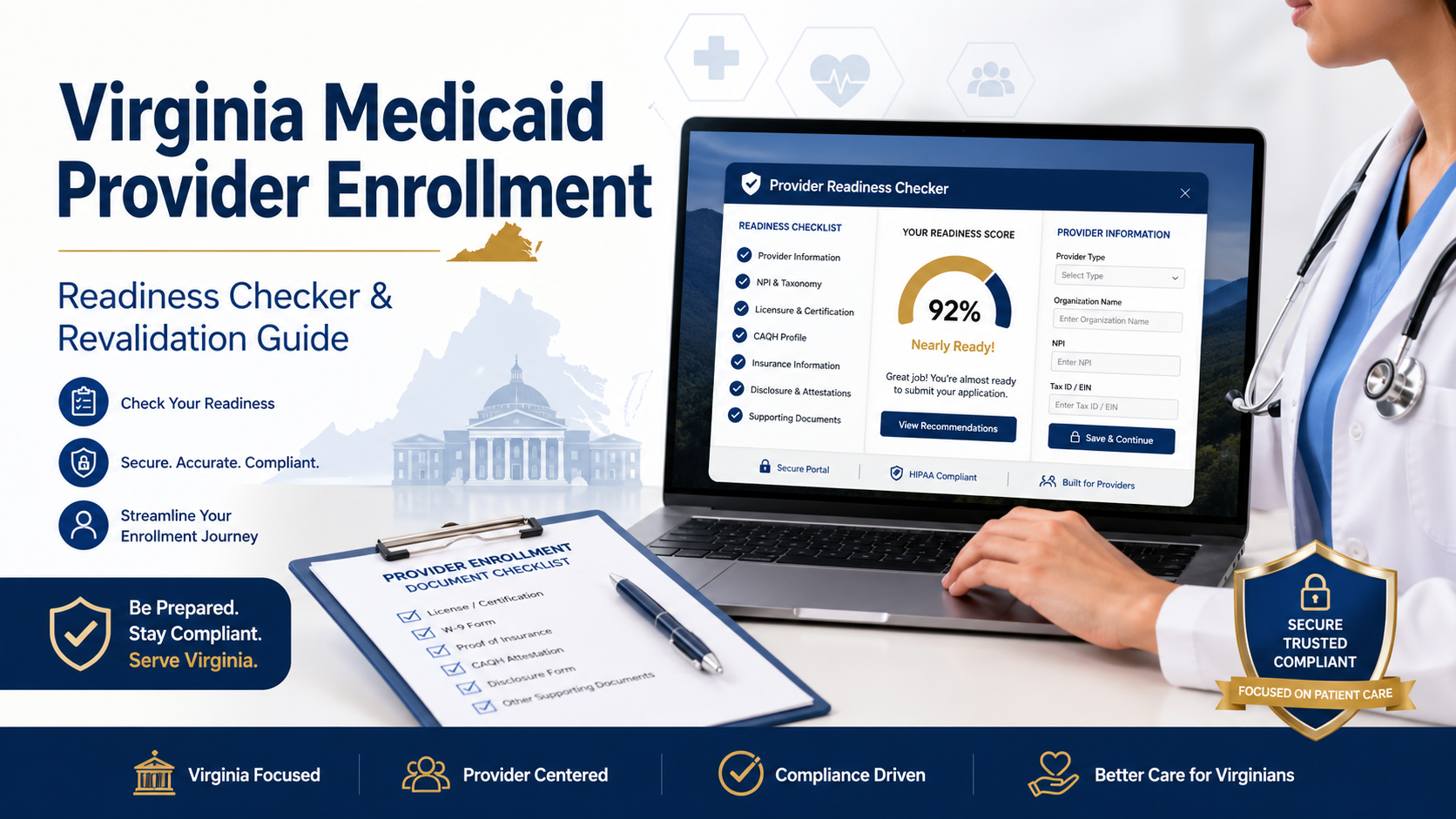
Virginia Medicaid Provider Enrollment Readiness Checker
Check whether your provider enrollment or revalidation information is ready before using the official MES / PRSS portal.
Virginia Medicaid Provider Enrollment Readiness Checker
Answer a few quick questions to see whether your practice, clinic, facility, or organization is ready to begin Virginia Medicaid provider enrollment or revalidation.
Check your enrollment readiness
This tool is for planning only. Always confirm final requirements in the official Virginia Medicaid MES / PRSS portal.
Your result will appear here.
- Your missing items will appear here.
Useful official links
This tool does not replace DMAS, MES, PRSS, MCO, or DentaQuest instructions. Use it as a readiness guide before submitting official information.
How Does Virginia Medicaid Provider Enrollment Work?
Virginia Medicaid provider enrollment is the process healthcare providers use to become approved to participate in Virginia Medicaid. Providers usually complete enrollment, revalidation, and provider account maintenance through the Virginia Medicaid MES / PRSS system.
The main thing to know is simple: you must choose the correct enrollment type, provider type, specialty, Tax ID, NPI, taxonomy code, and required attachments before submitting. Small errors can cause a Return to Provider request, delay approval, or require a new application.
This guide explains the Virginia Medicaid provider enrollment and revalidation process in plain English for practices, clinics, facilities, billing teams, credentialing staff, behavioral health providers, long-term care providers, and other healthcare organizations.
Table of Contents
ToggleWhat Is Virginia Medicaid Provider Enrollment?
Virginia Medicaid provider enrollment is the approval process that allows a healthcare provider or organization to participate in Virginia Medicaid. The process is managed through DMAS and the Medicaid Enterprise System, also called MES.
DMAS describes MES as Virginia Medicaid’s technology platform for providers, including training, revalidation, Medicaid memos, bulletins, and provider manuals.
A provider generally completes enrollment so they can:
- Participate in Virginia Medicaid.
- Submit claims for covered services.
- Verify member eligibility.
- Maintain provider records.
- Revalidate participation when required.
- Participate in fee-for-service or managed care programs when approved.
Enrollment is not only a formality. It connects the provider’s legal identity, service location, provider type, specialty, NPI, taxonomy, credentials, disclosures, and billing setup to the Virginia Medicaid system.
Who Needs to Complete Virginia Medicaid Provider Enrollment?
Healthcare professionals, practices, groups, facilities, organizations, and some non-billing providers may need to complete Virginia Medicaid provider enrollment. The exact path depends on the provider’s role, services, business structure, and participation type.
Common provider categories include:
- Individual practitioners
- Individual providers within a group
- Medical groups
- Clinics
- Facilities and organizations
- Behavioral health providers
- Long-term care providers
- Ordering, referring, and prescribing providers
- Atypical providers
- Dental providers
- Providers joining fee-for-service or MCO networks
DMAS training resources list separate enrollment courses for individual-within-a-group, individual, ordering/rendering/prescribing, group, facility/organization, and atypical provider enrollment.
This matters because the application is not the same for every provider. A group practice, individual clinician, facility, and atypical provider may have different documents, screening rules, and service-location requirements.
Which Portal Is Used for Virginia Medicaid Provider Enrollment?
Virginia Medicaid provider enrollment is started through the Virginia Medicaid provider enrollment site and managed through MES / PRSS. New providers can start or check enrollment from the MES home page, and providers can log in to MES to access approved modules.
The MES portal is the main gateway for provider tools. Providers can use it to access approved MES modules, training courses, provider manuals, memos, bulletins, forms, and provider-related resources.
In simple terms:
| System or term | What it means | Why it matters |
|---|---|---|
| DMAS | Department of Medical Assistance Services | State agency that administers Virginia Medicaid |
| MES | Medicaid Enterprise System | Main Virginia Medicaid technology platform |
| PRSS | Provider Services Solution | Provider portal area used for enrollment, revalidation, maintenance, and related provider functions |
| ATN | Application Tracking Number | Used to resume or check an application |
| RTP | Return to Provider | A request for corrections or missing information |
Providers should treat the portal as the source of truth for current enrollment steps, provider status, attachments, and revalidation notices.
What Should Providers Prepare Before Starting the Enrollment Application?
Providers should prepare their identity, business, licensing, credentialing, ownership, banking, NPI, taxonomy, and service-location information before starting the application. The official enrollment page includes a pre-checklist that generates required credentials and documentation based on enrollment type, provider type, specialty, Tax ID type, Medicare enrollment, and program participation choices.
The exact requirements vary, but providers should commonly review:
- Legal name and DBA name, if applicable
- EIN or SSN, depending on the Tax ID type
- National Provider Identifier
- Taxonomy code
- Provider type
- Provider specialty
- Service location address
- Mailing and payment addresses
- Professional license details
- Ownership and control information
- Managing employee information
- Medicare enrollment status, if applicable
- Insurance or credentialing documents, if required
- EFT information, when applicable
- Program participation choices, such as fee-for-service or MCO
The safest move is to generate the official pre-checklist before completing the application. DMAS states that the pre-checklist is highly recommended because it lists required credentials and attachments for the selected enrollment type, provider type, and specialty combination.
Why Are NPI and Taxonomy Codes Important for Enrollment?
The NPI identifies the healthcare provider, while the taxonomy code describes the provider’s classification and specialization. CMS defines the NPI as a unique 10-digit identifier for covered healthcare providers, and CMS defines a taxonomy code as a 10-character code that designates provider classification and specialization.
For Virginia Medicaid enrollment, NPI and taxonomy alignment matter because the provider’s billing, service type, and claims setup may depend on the correct provider classification.
Providers should check:
- Whether the NPI is active and accurate.
- Whether the taxonomy code matches the services being provided.
- Whether the taxonomy is correct in NPPES.
- Whether the provider type and specialty selected in PRSS match the real services.
- Whether the NPI, taxonomy, and service location are consistent.
DMAS says providers must provide a valid taxonomy code for the services provided and can verify taxonomy codes registered for their NPI through NPPES.
Why Does Provider Type or Specialty Change the Required Documentation?
Provider type and specialty change the required documentation because Medicaid enrollment screens providers based on who they are, what services they provide, and how they participate. DMAS notes that enrollment type and provider type determine the information required throughout the application and may trigger a provider risk level such as limited, moderate, or high.
For example:
- A solo licensed clinician may need a professional license and NPI details.
- A group practice may need organizational and service-location information.
- A facility may need additional ownership, accreditation, or location information.
- A high-risk provider type may face additional screening.
- A provider seeking MCO participation may have additional network steps after DMAS enrollment.
This is why copying another provider’s checklist is risky. The correct checklist is the one generated for the provider’s own enrollment type, provider type, specialty, and participation choices.
How Do You Enroll as a Virginia Medicaid Provider?
To enroll as a Virginia Medicaid provider, start by visiting the official provider enrollment page, generating the pre-checklist, completing registration, filling out the application, uploading required documents, responding to any RTP requests, and monitoring the application status. The enrollment page says providers can start, resume, check status, or manage an enrollment application from the provider enrollment site.
A clean step-by-step process looks like this:
- Confirm whether the provider is already enrolled.
- Identify the correct enrollment type.
- Select the correct provider type and specialty.
- Generate the pre-checklist.
- Collect required documents.
- Start the application.
- Complete registration.
- Enter provider, business, service-location, disclosure, and credentialing details.
- Upload attachments in accepted formats.
- Submit the application.
- Save the ATN and password.
- Check status regularly.
- Respond quickly to RTP requests.
- Wait for approval or correction instructions.
How Do You Use the Enrollment Pre-Checklist?
The enrollment pre-checklist helps providers identify required credentials and documentation before submitting. The official enrollment page asks for enrollment type, provider type, specialty, Tax ID type, Medicare enrollment status, and program participation choices to generate the checklist.
Use the pre-checklist before you start filling out the main application.
It helps prevent:
- Missing licenses
- Wrong provider type selection
- Missing attachments
- Incorrect Tax ID setup
- Wrong specialty selection
- Delays caused by incomplete files
- RTP requests for preventable issues
The pre-checklist is optional, but DMAS says it is highly recommended, especially when a delegate manages the application.
How Do You Start, Save, Resume, or Submit the Application?
Providers start the application from the provider enrollment page. The application automatically saves when the user clicks “Continue,” which helps prevent loss of progress.
Important workflow points:
- Use the official provider enrollment page to start.
- Save the Application Tracking Number.
- Keep the password used for the application.
- Use the same ATN and password to check the status.
- Do not let an unfinished application sit too long.
- Review attachments before submission.
- Print or save a copy after submission when available.
DMAS says an inactive application that is not submitted within 30 days can expire, with a courtesy reminder sent 15 days before expiration. If it expires, the provider must start a new application.
How Do You Check Virginia Medicaid Enrollment Status?
Providers can check Virginia Medicaid enrollment status by selecting Enrollment Status on the provider enrollment site and entering the ATN and password used when the application was started. DMAS also notes that providers can use Print Preview to view, download, or print a copy of the submitted application.
Status checks are important because the application may require action.
Watch for:
- Submitted status
- Pended status
- RTP request
- Returned for corrections
- Denied status
- Approved status
- Expired status
Do not assume silence means approval. Billing managers and credentialing teams should monitor the application until the provider receives final approval and portal credentials.
What Does Return to Provider Mean in the Virginia Medicaid Enrollment Process?
Return to Provider, or RTP, means the application needs more information, corrections, or attachments before review can continue. The provider enrollment page states that providers may check their status and respond to RTP requests for additional information needed to continue the review.
An RTP is not always a denial. It is usually a request to fix something.
Common RTP triggers include:
- Missing required documents
- Incorrect provider type
- Incorrect specialty
- Incomplete disclosures
- Inconsistent NPI or taxonomy information
- Missing payment or application fee issue
- Unclear service location information
- Invalid file type or upload issue
- Licensing information that does not match the provider record
DMAS says that when an application is returned for corrections, the provider receives a notification with needed changes, such as an added attachment or edited response. Providers have 30 days to make corrections and resubmit, or the application may be denied.
How Long Does Virginia Medicaid Provider Enrollment Take?
Virginia Medicaid enrollment review can take up to 10 business days, but additional screening requirements may extend the decision time. DMAS states that enrollment requests can take up to 10 business days, and requirements such as a fee, site visit, or background check can extend processing.
The timing depends on the application quality and provider risk level.
| Situation | Likely impact |
|---|---|
| Complete application with correct documents | Faster review |
| Missing attachment | RTP request likely |
| Wrong provider type or specialty | Delay or a new application may be needed |
| An application fee is required, but not submitted correctly | The application may be returned |
| Site visit or background check required | Processing may take longer |
| Application inactive for 30 days | The application can expire |
| Corrections not completed within 30 days | The application may be denied |
The practical takeaway: most delays are preventable. The provider should complete the pre-checklist, verify documents, and check the status after submission.
How Does Virginia Medicaid Provider Revalidation Work?
Virginia Medicaid provider revalidation is the process of renewing and confirming a provider’s enrollment information. Federal regulation requires state Medicaid agencies to revalidate all providers, regardless of provider type, at least every five years.
Virginia applies this rule to Medicaid fee-for-service and MCO network providers. The MES provider page states that FFS and MCO network providers need to revalidate at least every five years and should complete revalidation before the due date to avoid disenrollment.
Revalidation usually includes:
- Confirming provider information
- Updating service-location data
- Reviewing disclosures
- Uploading required documents
- Completing screening
- Responding to any correction request
- Maintaining Medicaid participation
When Will Providers Receive Revalidation Notices?
Providers should receive a DMAS revalidation notice at least 90 days before the end of their enrollment period. DMAS says reminder notices are also sent 60 and 30 days before the revalidation deadline, based on the provider’s communication preferences in PRSS.
The revalidation notice may include:
- Revalidation instructions
- Application Tracking Number
- Password notification
- Provider Location ID details
- Deadline information
- Warning about termination risk
DMAS encourages providers to begin revalidation as soon as they receive the notice, so there is time for processing and corrections before expiration.
What Happens If Revalidation Is Not Completed on Time?
If revalidation is not completed by the due date, the provider may lose Virginia Medicaid participation status. DMAS states that providers who do not revalidate by the due date will have their participation terminated from fee-for-service and MCO networks until they successfully enroll or revalidate in PRSS.
DMAS FAQ guidance also says providers may have a grace period of up to 45 days in some revalidation situations, but returned revalidation applications do not qualify for the grace period.
Revalidation should be treated as urgent because late action can affect:
- Claims payment
- MCO network participation
- Fee-for-service participation
- Provider record status
- Service-location activity
- Administrative workload
How Are Fee-for-Service, MCO, and Dental Providers Handled?
Fee-for-service providers, MCO network providers, and dental providers may all need enrollment or credentialing, but their workflows are not always identical. Virginia Medicaid uses MES / PRSS for provider enrollment and revalidation, while dental participation for Cardinal Care Smiles is credentialed through DentaQuest.
Here is the simple breakdown:
| Provider path | Main system or administrator | What providers should know |
|---|---|---|
| Fee-for-service provider | DMAS / MES / PRSS | Enroll and revalidate through Virginia Medicaid systems |
| MCO network provider | DMAS / PRSS plus MCO process | DMAS enrollment may be followed by MCO participation review |
| Dental provider | DentaQuest for Cardinal Care Smiles credentialing | Dental credentialing is handled through DentaQuest |
| Ordering/referring/prescribing provider | PRSS | Enrollment may be needed even if the provider is not billing directly |
| Facility or organization | PRSS | Requirements may depend on service location, ownership, and provider type |
DMAS also tells providers to verify member eligibility each time services are rendered because a Medicaid card alone does not prove current eligibility. Providers may verify eligibility through MediCall or through the MES portal after logging in and selecting the PRSS Portal Eligibility tab.
How Do Dental Providers Enroll for Cardinal Care Smiles?
Dental providers participating in Virginia Medicaid dental services are credentialed through DentaQuest for Cardinal Care Smiles. DMAS states that Cardinal Care Smiles offers comprehensive dental services to children through age 20, adults, and pregnant members, and that all Cardinal Care Smiles dentists are credentialed through DentaQuest.
DentaQuest says providers can start the network process by completing the DentaQuest provider enrollment form. DentaQuest also states that most providers can join by submitting a DentaQuest credentialing application online or by using CAQH where applicable.
Dental providers should not assume the general medical enrollment process is the only step. They should confirm current Cardinal Care Smiles credentialing requirements with DentaQuest.
What Mistakes Delay Virginia Medicaid Provider Enrollment?
The most common delays happen when the application does not match the provider’s real identity, service type, documents, or portal requirements. Many delays can be avoided by using the pre-checklist and carefully checking provider type, specialty, NPI, taxonomy, attachments, and deadlines.
Avoid these mistakes:
- Choosing the wrong enrollment type
- Selecting the wrong provider type
- Selecting a specialty that does not match licensure
- Using an outdated NPI record
- Entering a taxonomy code that does not match the services
- Forgetting required attachments
- Uploading unsupported file types
- Missing disclosure information
- Not responding to RTP within 30 days
- Letting an application expire after inactivity
- Missing application fee instructions
- Waiting too long to begin revalidation
- Ignoring revalidation notices sent by email or mail
- Assuming MCO participation is automatic after DMAS approval
For uploads, DMAS FAQ guidance says supported file types include .pdf, .jpeg, .png, .doc, and .docx, and filenames should not contain more than one period before the file extension.
What Is the Best Checklist Before Submitting the Application?
The best checklist is a final internal review before submission. It should confirm that the application, credentials, and attachments match the provider’s legal, clinical, billing, and service-location information.
Use this checklist:
- Confirm the provider is not already enrolled under the same enrollment type and provider type.
- Confirm legal name, DBA, EIN or SSN, and address details.
- Confirm NPI status and NPPES information.
- Confirm taxonomy code and specialty alignment.
- Confirm license details and expiration dates.
- Confirm provider type and specialty selections.
- Confirm service location details.
- Confirm ownership, control interest, and manage employee disclosures.
- Confirm required attachments from the pre-checklist.
- Confirm file names and file types.
- Confirm application fee status, if applicable.
- Save the ATN and password.
- Assign status monitoring to a billing manager, credentialing specialist, or administrator.
- Respond to RTP requests as soon as they arrive.
This checklist is especially useful for organizations where one person gathers documents and another person submits the application.
Key Takeaway
Virginia Medicaid provider enrollment is easier when the provider uses the official MES / PRSS workflow, generates the pre-checklist, selects the correct provider type and specialty, verifies NPI and taxonomy information, uploads complete documents, and tracks the application until approval.
Revalidation is just as important as first-time enrollment. Virginia Medicaid providers must revalidate at least every five years, and missing the deadline can affect participation in fee-for-service and MCO networks.
FAQ
What is Virginia Medicaid provider enrollment?
Virginia Medicaid provider enrollment is the process of becoming approved to participate in Virginia Medicaid. Providers use DMAS and MES / PRSS systems to apply, revalidate, maintain provider records, and access provider resources.
Where do I start a Virginia Medicaid provider enrollment application?
You can start, resume, check status, or manage a Virginia Medicaid provider enrollment application through the official provider enrollment page connected to MES / PRSS.
What is the Virginia Medicaid enrollment pre-checklist?
The pre-checklist is a tool that identifies required credentials and documentation based on enrollment type, provider type, specialty, Tax ID type, Medicare enrollment status, and program participation choices.
How do I check my Virginia Medicaid enrollment status?
Select Enrollment Status on the provider enrollment site and enter the ATN and password used when the application was started. DMAS says providers can also use Print Preview to view or download the submitted application.
What does RTP mean in Virginia Medicaid provider enrollment?
RTP means Return to Provider. It means the application has been returned for missing information, correction, or additional attachments before review can continue. Providers generally have 30 days to correct and resubmit returned applications.
How often do Virginia Medicaid providers need to revalidate?
Virginia Medicaid providers need to revalidate at least every five years. Federal regulation requires state Medicaid agencies to revalidate all providers, regardless of provider type, at least every five years.
What happens if a provider misses revalidation?
A provider who does not revalidate by the due date may lose Virginia Medicaid participation in fee-for-service and MCO networks until the provider successfully enrolls or revalidates through PRSS.
Who do I contact for Virginia Medicaid provider enrollment help?
For enrollment and revalidation inquiries, DMAS lists the Virginia Medicaid Provider Enrollment Helpdesk numbers as 804-270-5105 and 888-829-5373. For billing, claims, member eligibility, memos, and regulations, DMAS lists the Provider Helpline as 800-552-8627 or 804-786-6273, Monday through Friday, 8 a.m. to 5 p.m.
Virginia Medicaid Provider Enrollment Readiness Checker
Check whether your provider enrollment or revalidation information is ready before using the official MES / PRSS portal.
Virginia Medicaid Provider Enrollment Readiness Checker
Answer a few quick questions to see whether your practice, clinic, facility, or organization is ready to begin Virginia Medicaid provider enrollment or revalidation.
Check your enrollment readiness
This tool is for planning only. Always confirm final requirements in the official Virginia Medicaid MES / PRSS portal.
Your result will appear here.
- Your missing items will appear here.
Useful official links
This tool does not replace DMAS, MES, PRSS, MCO, or DentaQuest instructions. Use it as a readiness guide before submitting official information.