What Are the CAQH Credentialing Requirements for Healthcare Providers?
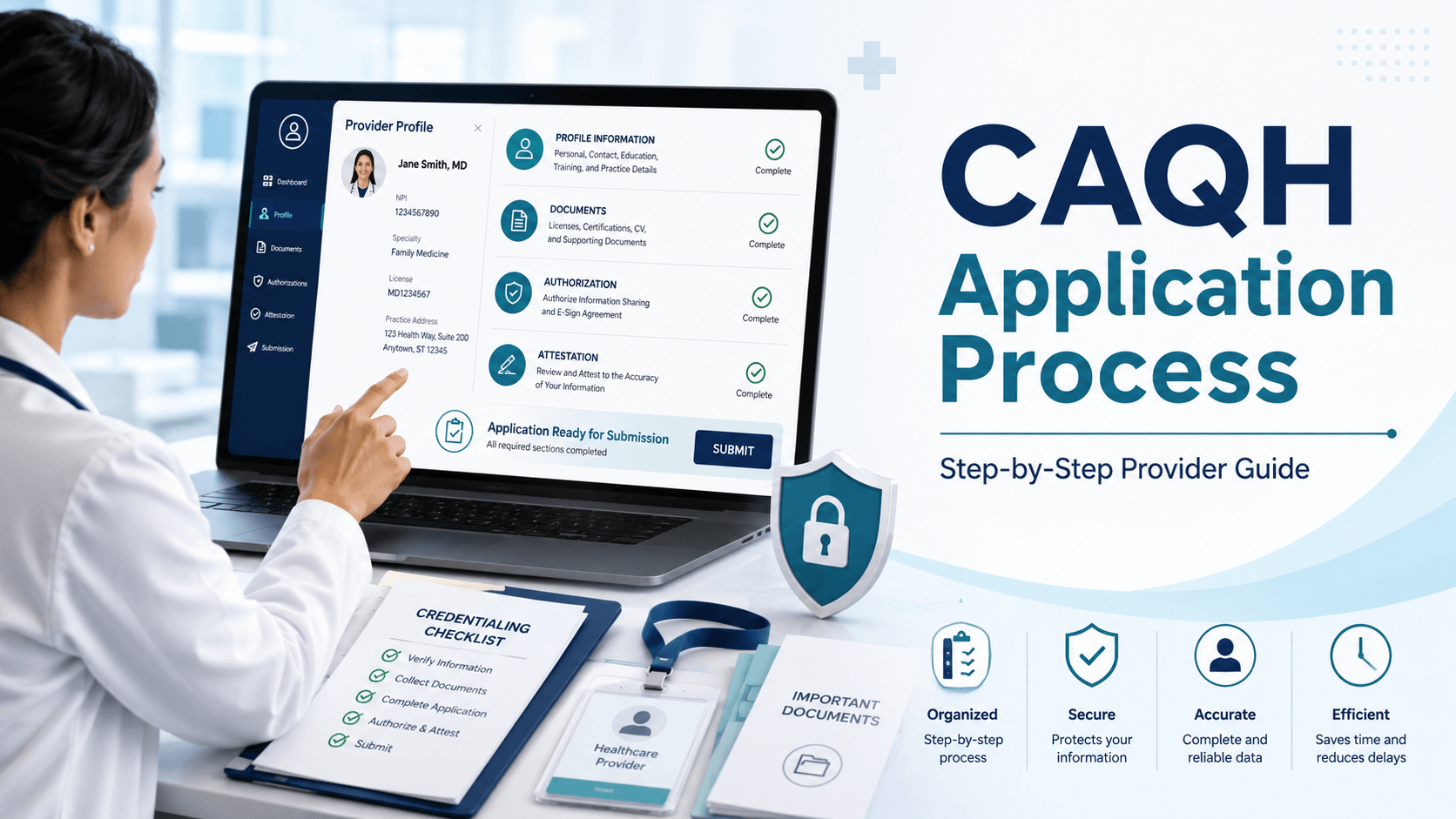
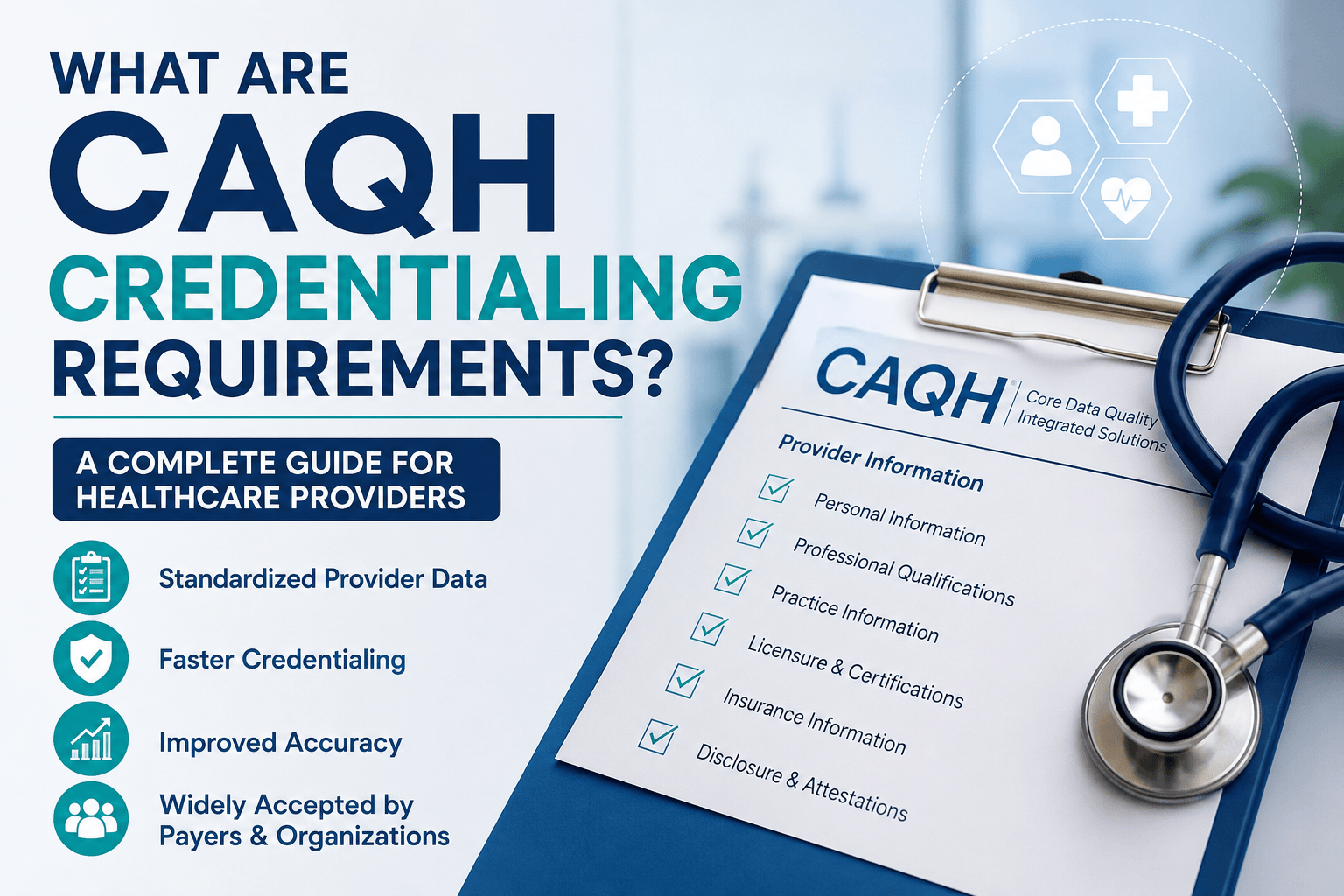
CAQH credentialing requirements include completing a detailed provider profile, reporting current professional and practice information, uploading the supporting documents requested by the portal, authorizing healthcare organizations to access the profile, and attesting that the information is accurate.
A complete CAQH profile commonly includes professional licenses, education and training, specialties, practice locations, hospital affiliations, malpractice coverage, employment history, references, and disclosure responses. The exact questions and required documents can vary according to the provider’s profession, practice state, and profile details.
Completing CAQH is an important credentialing step, but it does not by itself make a clinician an in-network provider. Each health plan must still receive a participation request, access the profile, verify the credentials, approve the application, complete contracting, and establish an effective date.
What Is CAQH Credentialing?
CAQH credentialing is the process of entering and maintaining a clinician’s professional and practice information in the CAQH Provider Data Portal so authorized healthcare organizations can use that information for credentialing and related administrative functions.
The portal allows clinicians to maintain one central profile rather than repeatedly entering the same information into separate payer applications. DataSpring reports that its portal contains more than 4.8 million provider records and that approximately 2.5 million clinicians have confirmed their information within the previous 120 days.
Healthcare organizations may use authorized CAQH information for:
- Initial credentialing
- Recredentialing
- Provider enrollment
- Network management
- Provider directory maintenance
- Claims administration
- Referral management
- Out-of-network payment verification
The portal stores information, but the insurance company or credentialing organization remains responsible for reviewing the provider and making its own participation decision.
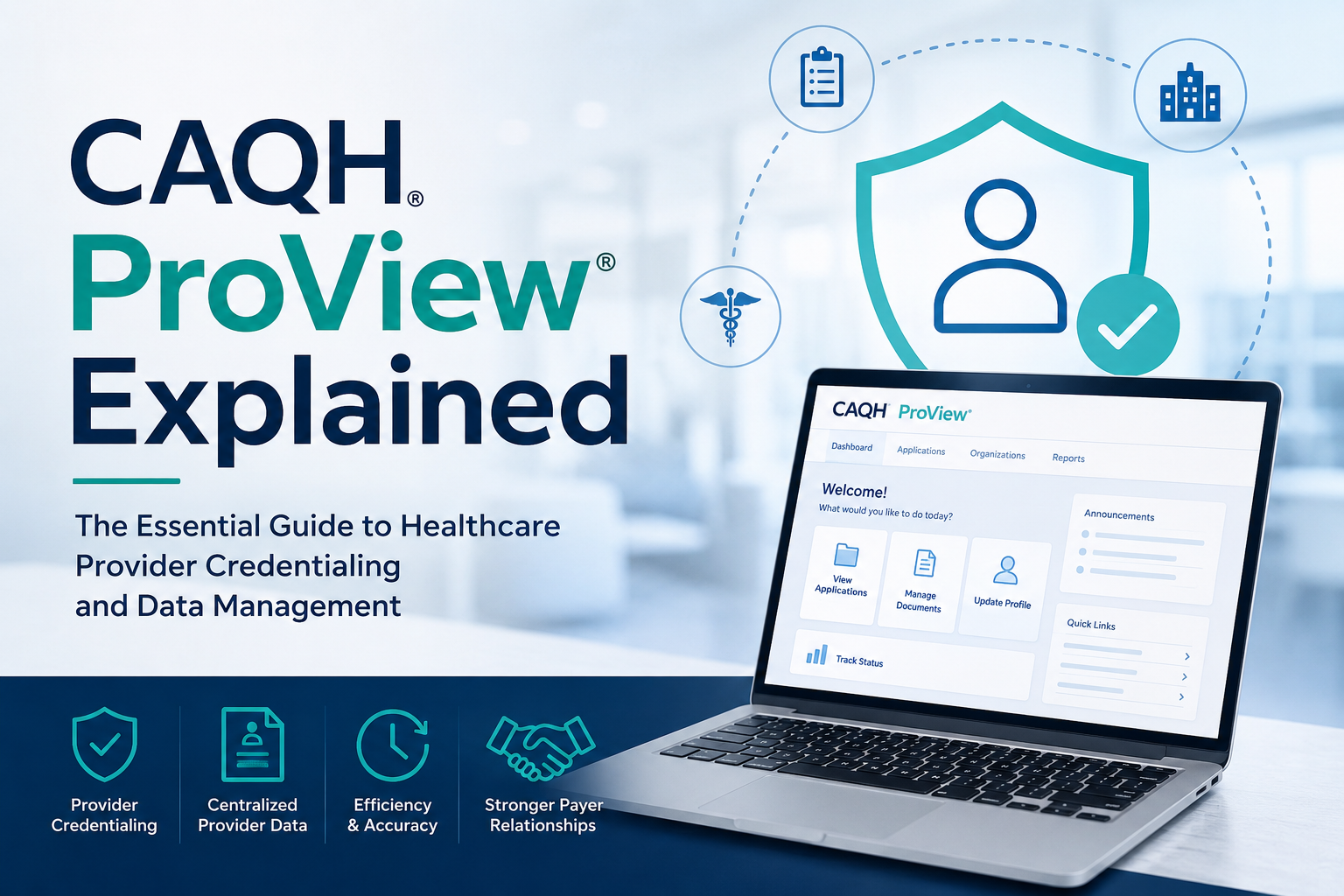
Is CAQH Still Called CAQH ProView?
The provider platform is now called the CAQH Provider Data Portal, and CAQH’s provider-data business is operating under the DataSpring name. Many providers, payers and credentialing teams still use “CAQH,” “CAQH ProView,” and “CAQH credentialing” as familiar terms.
The terminology can be understood as follows:
| Term | What it refers to |
|---|---|
| CAQH | The widely recognized former organization and platform name |
| DataSpring | The current operating brand powered by CAQH |
| CAQH ProView | The former name of the provider-profile platform |
| CAQH Provider Data Portal | The current name of the clinician profile portal |
| CAQH ID | The unique identifier assigned to a registered provider |
For SEO and provider communication, “CAQH credentialing” remains a useful term because that is how many clinicians continue to search for the process.
Who Needs a CAQH Profile?
Healthcare professionals generally need a CAQH profile when an insurance payer, hospital, credentialing organization, or medical group asks them to use the portal. Participation is not universally mandated by law, but more than 1,000 healthcare organizations use CAQH data, and many request it from clinicians during credentialing.
Provider types that may use the portal include:
- Physicians
- Dentists
- Nurse practitioners
- Physician assistants
- Psychologists
- Licensed clinical social workers
- Professional counsellors
- Physical therapists
- Occupational therapists
- Speech-language pathologists
- Chiropractors
- Optometrists
- Podiatrists
- Other licensed healthcare professionals
Requirements vary by payer and provider type. A facility, laboratory, pharmacy, home health agency, or durable medical equipment supplier may follow a different application pathway even when individual clinicians associated with the organization maintain CAQH profiles.
Before starting, ask each payer:
- Does this provider type use CAQH?
- Does the payer require an individual CAQH profile?
- Is a separate group, facility, or organizational application required?
- Must the provider submit a participation request before the payer accesses CAQH?
- Are there state-specific forms or supplemental applications?
What Information Is Required to Register for CAQH?
CAQH registration requires enough identifying information to create or locate the provider’s record. The official provider guide lists the provider’s classification, provider type, name, address, primary practice state, date of birth, email address, and available professional identification numbers among the registration fields.
The portal may request:
- NUCC grouping
- Provider type
- Legal name
- Home or mailing address
- Primary practice state
- Date of birth
- Email address
- Social Security number
- Individual NPI
- DEA number, when applicable
- License state
- Professional license number

A provider who has not received a welcome email may use the self-registration option. The system then sends the provider a CAQH Provider ID and instructions for completing account registration.
An NPI is a 10-digit identifier used for covered healthcare providers in HIPAA-standard administrative and financial transactions. Providers obtain and maintain NPI information through NPPES, not CAQH.
Before registering, verify that the provider’s:
- Legal name matches licensing and NPI records
- NPI is active
- Taxonomy reflects the current profession and specialty
- Email address is monitored
- Date of birth and Social Security number are entered correctly
- Primary practice state is accurate
The CAQH guide states that Social Security number and date-of-birth fields become locked after the provider’s first attestation, making accuracy especially important during initial setup.
Which Sections Must Be Completed in a CAQH Profile?
A CAQH profile contains 11 principal information sections. A provider must complete all applicable required fields and correct validation errors before the profile can be successfully attested.
The sections are:
- Personal information
- Professional IDs
- Education and professional training
- Specialties
- Practice locations
- Hospital affiliations
- Credentialing contacts
- Professional liability insurance
- Employment information
- Professional references
- Disclosure
The portal uses required-field indicators and completion markers to show whether information or mandatory documents are missing. Questions may change according to the clinician’s state, provider type, and previous responses.
What Personal and Professional Identification Information Is Required?
Providers must report identifying and professional-registration information relevant to their practice. This may include their legal and professional names, contact information, NPI, state licenses, DEA registration, controlled-substance registrations, Medicare or Medicaid identifiers, and other applicable credentials.
The official guide instructs providers to report state professional licenses they currently hold or previously held from U.S. or Canadian licensing authorities. DEA-eligible clinicians are asked to enter DEA details, while eligible providers may also be asked for state controlled-substance registration information.
Common information includes:
- Legal name
- Other professional names
- Personal contact details
- Preferred correspondence information
- Individual NPI
- Professional license number
- License status
- Original and current issue dates
- Expiration date
- DEA registration
- CDS registration, where applicable
- Medicare number, where requested
- Medicaid number, where requested
- ECFMG information for applicable international medical graduates
- Languages and demographic information
Providers who do not prescribe may need to choose the appropriate portal response and, depending on the circumstances, identify an alternate prescriber or provide an explanation.
What Education, Training and Specialty Information Is Required?
Providers must report relevant education, professional training, specialties, and certification information. The portal requires at least one education record and requires every provider to select a primary specialty.
Information may include:
- Undergraduate education
- Professional school
- Medical or dental school
- Graduation date
- Degree earned
- Internship
- Residency
- Fellowship
- Preceptorship
- Other postgraduate training
- Faculty or academic appointments
- Primary specialty
- Secondary specialties
- Taxonomy codes
- Board-certification status
- Certification and recertification dates
- Certification expiration dates
The specialty list is connected to the provider’s selected NUCC grouping. Taxonomy codes help identify a provider’s classification and specialization and should align with the provider’s NPI and payer applications.
Do not report a specialty simply because it is similar to the provider’s work. Use the classification that accurately reflects the provider’s license, education, training, and services.
What Practice Location and Hospital Affiliation Information Is Required?
Providers must report the locations where they practice and their applicable hospital affiliations or admitting arrangements. Accurate location information is important for credentialing, billing, and provider-directory publication.
Practice information may include:
- Legal practice name
- Doing-business-as name
- Physical address
- Mailing address
- Billing address
- Appointment telephone number
- Office hours
- Accessibility information
- Telehealth services
- Languages available
- New-patient acceptance status
- Age limitations
- Tax identification information
- Group NPI
- Location type
- Credentialing contact
- Billing contact
- Office manager
- Electronic claims information
- Hospital admitting privileges
- Covering or admitting arrangements
- Non-admitting hospital affiliations
Every active location should be entered consistently across CAQH, NPPES, payer applications, contracts and billing records. A mismatch in suite number, group name, phone number or tax information may trigger additional outreach.
Inactive locations should not remain listed as active merely because claims were previously submitted from them.
What Malpractice Insurance Information Is Required?
Providers must report their professional liability coverage or indicate an applicable alternative, such as Federal Tort Claims Act coverage, self-insurance or no insurance.
Professional liability information may include:
- Insurance carrier
- Policy number
- Name of insured provider
- Coverage type
- Coverage limits
- Effective date
- Expiration date
- Covered practice locations
- Self-insurance status
- FTCA coverage
The portal commonly requests a professional liability insurance face sheet or evidence supporting the coverage arrangement. Policy information entered in the profile should match the uploaded document exactly.
Review the face sheet for:
- Correct provider name
- Correct policy number
- Current coverage dates
- Required occurrence and aggregate limits
- Correct practice or group name
- Readable carrier information
An insurance document may be rejected when the policy number or provider name does not match the profile.
What Employment History, References and Disclosures Are Required?
CAQH requires current or previous employment information, professional references, and responses to applicable disclosure questions. Work-history gaps may also require explanations.
The official guide describes a gap as generally being a break of three months or longer in continuous full-time employment, although certain states and credentialing organizations may use shorter reporting periods. Some organizations may request work history beginning with the provider’s professional degree.
Prepare:
- Current employer information
- Previous employment dates
- Military employment, when applicable
- Explanations for unemployment gaps
- Training periods
- Professional reference names
- Reference specialties
- Telephone numbers and email addresses
- State-specific disclosure responses
- Ownership disclosures
- Explanations and documents for affirmative answers
Disclosure topics may address:
- License actions
- Clinical privilege restrictions
- Professional disciplinary actions
- Criminal history
- Malpractice claims
- Medicare or Medicaid sanctions
- Controlled-substance registration actions
- Professional impairment issues
- Employment termination
- Ownership or financial interests
Answer every disclosure question truthfully and provide an explanation where requested. An affirmative disclosure does not automatically mean a provider will be denied, but an incomplete or inconsistent answer can delay review.
Which Documents Are Required for CAQH Credentialing?
CAQH does not apply one identical document list to every provider. The portal generates required document slots according to the provider’s profession, practice state and profile responses.
Commonly requested documents may include:
| Document | Requirement status | Important note |
|---|---|---|
| State professional license | Common or conditional | Upload when shown as required |
| DEA certificate | Conditional | Required only for applicable prescribers or payer requests |
| CDS certificate | State- and provider-dependent | Not every state uses a separate CDS registration |
| Malpractice insurance face sheet | Common | Data must match the liability section |
| Board certificate | Conditional | May depend on specialty and payer |
| Training certificate | Conditional | Upload only when requested |
| State application or release form | State-dependent | Some forms require a current signature |
| CAQH Authorization, Attestation and Release form | State- or profile-dependent | Follow the portal’s document instructions |
| Letter of self-insurance or no-insurance explanation | Conditional | Used when ordinary liability coverage does not apply |
| CLIA certificate | Conditional | Relevant to applicable laboratory services |
The portal’s official guidance says providers should not upload document types that do not appear as required or available in their Documents section.
Which Documents Are Commonly Requested?
Professional licenses and malpractice documentation are among the most common supporting records. DEA, controlled-substance, board-certification, training and state-release documents may be requested when applicable.
Before uploading, collect:
- Current license copies
- Current malpractice face sheet
- DEA certificate
- Applicable state controlled-substance certificate
- Board-certification evidence
- Relevant training certificates
- State-specific release documents
- Explanations related to disclosures
- Documents shown as missing in the portal
Use the portal’s document name and upload slot. Do not upload a license into a malpractice insurance slot or combine unrelated documents into one file.
Are a CV, W-9, and Voided Check Required by CAQH?
A CV, W-9, and voided check are not universal supporting-document requirements for every CAQH profile. However, insurance payers and enrollment departments commonly request them separately for credentialing, contracting, tax setup, or electronic payment enrollment.
The distinction is important:
| Item | CAQH profile | Payer may request separately |
|---|---|---|
| Professional history | Yes | Yes |
| State license information | Yes | Yes |
| Malpractice coverage | Yes | Yes |
| CV or résumé | Not universally required | Frequently requested |
| W-9 | Not a universal CAQH document | Common for payer tax setup |
| Voided check | No general credentialing requirement | May be required for EFT |
| Group contract | No | Required during payer contracting |
| EFT and ERA forms | No | Separate financial enrollment |
| Ownership documents | Profile-dependent | May be requested separately |
CMS notes that healthcare organizations enrolling for electronic funds transfer and electronic remittance advice need practice tax and provider identification information, but those transactions are separate from CAQH credentialing.
Follow both the CAQH portal checklist and the payer’s application checklist. Completing one does not automatically satisfy the other.
Why Does the Portal Show Different Documents for Different Providers?
Document requirements vary because credentialing rules depend on the clinician’s profession, state, prescribing status, specialty, insurance arrangement and profile responses.
For example:
- A prescribing physician may see DEA requirements that do not apply to a non-prescribing therapist.
- A self-insured provider may need an explanation instead of a malpractice face sheet.
- A provider practising in more than one state may see multiple license requirements.
- Certain states may require specific application-release forms.
- A provider who reports a certification may be asked for supporting evidence.
- A clinician performing laboratory services may see a CLIA-related requirement.
The official guide specifically states that the portal displays required documents based on the provider’s practice state, provider type and other profile details.
How Should CAQH Documents Be Prepared and Uploaded?
CAQH documents should be current, readable, correctly categorized and consistent with the information entered in the profile. Poor-quality or mismatched documents may be marked as failed.
CAQH identifies common rejection reasons such as:
- Illegible files
- Missing dates
- Missing signatures
- Multiple document types combined in one file
- Expired records
- Incorrect document category
- Information that does not match the profile
Signed supporting documents must generally be submitted within 120 days of the signature date. The portal’s guidance says documents signed more than 120 days earlier may not be accepted.
Use this upload checklist:
- Scan the complete document.
- Confirm that every page is readable.
- Use the correct document slot.
- Upload only one document type per file.
- Verify the provider’s name.
- Confirm the license or policy number.
- Check effective and expiration dates.
- Confirm that all required signatures and dates are present.
- Review the status after submission.
- Replace failed documents promptly.
The official guide states that CAQH generally reviews submitted supporting documents within approximately 48 hours, although actual completion of payer credentialing takes longer and is controlled by the payer.
How Do Providers Authorize Insurance Companies to Access CAQH?
Providers must authorize healthcare organizations before those organizations can access the profile. Entering payer information into CAQH does not automatically grant every insurance company access.
CAQH offers authorization options that may include:
- Global authorization for organizations that identify the clinician as affiliated or applying
- Authorization limited to individually selected organizations
- Limited data access for certain non-affiliated organizations
The official guide recommends global authorization for affiliated or prospective organizations, but providers may select organizations individually. Authorization settings can be updated later.
A common credentialing delay occurs when:
- The provider completes CAQH.
- The provider contacts a payer.
- The payer adds the provider to its CAQH roster.
- The provider does not authorize that payer.
- The payer cannot retrieve the complete application.
Providers should review the authorization page after beginning an application with each payer.
Creating a CAQH profile does not function as a request to join every payer network. CAQH instructs providers to contact each health plan directly when they want to participate.
What Is CAQH Attestation?
CAQH attestation is the provider’s certification that the information in the profile is accurate, current and complete. A profile is not ready for normal payer use merely because information has been entered and saved.
Before attesting, the provider should:
- Review the entire data summary
- Correct validation errors
- Update expired credentials
- Verify all practice locations
- Review disclosures
- Confirm employment dates
- Check supporting-document status
- Verify payer authorization
- Read the attestation language
The profile cannot be attested while certain required errors remain unresolved. After attestation and approval of all required documents, the profile may reach an initial-complete status.
The provider remains responsible for the accuracy of the information, even when a staff member or credentialing company assists with data entry.
How Often Must a Provider Re-Attest With CAQH?
Most providers must re-attest every 120 days. The official guide identifies a 180-day cycle for Illinois providers.
Re-attestation confirms that:
- Professional information remains accurate
- Practice locations are current
- Licenses remain active
- Malpractice coverage is current
- Disclosure responses remain accurate
- Payer authorization remains appropriate
- Required documents have not expired
CAQH sends reminder emails before expiration and additional notices after a profile becomes expired. Providers should therefore maintain a monitored primary email address and may add additional credentialing contacts to receive reminders.
Do not wait until the 120th day to review the profile. Begin checking expiring licenses and insurance documents in advance.
What Happens When a CAQH Attestation Expires?
When a provider does not re-attest by the deadline, the CAQH profile moves into an expired-attestation status. Payers may then consider the application outdated or unable to meet their credentialing-data requirements.
An expired profile can contribute to:
- Initial credentialing delays
- Recredentialing delays
- Additional payer outreach
- Directory-update problems
- Contract maintenance issues
- Provider enrollment holds
- Requests for a newly signed application
CAQH defines expired attestation as a profile whose attestation is more than 120 days old, subject to the different Illinois cycle.
To correct an expired profile:
- Log in to the portal.
- Review every changed section.
- Update expired licenses and insurance.
- upload any missing documents.
- Resolve validation errors.
- Review authorization settings.
- Complete a new attestation.
- Confirm that the updated status is visible.
- Tell the payer that re-attestation is complete when necessary.
Does Completing CAQH Make a Provider Credentialed?
No. Completing CAQH makes the provider’s information available for review, but the insurance company or credentialing organization makes the final credentialing decision.
A typical payer process includes:
- Receiving a network participation request
- Adding or locating the provider in CAQH
- Obtaining authorization to access the profile
- Reviewing the application for completeness
- Conducting primary source verification
- Reviewing sanctions and exclusions
- Evaluating malpractice history
- Presenting the file for an appropriate credentialing decision
- Completing contracting
- Loading the provider into payer systems
- Issuing an effective date
NCQA identifies license verification, DEA or CDS status, education and training, board certification, work history, malpractice history, sanctions and application attestation as major credentialing-verification areas.
CAQH supports the process. It does not independently guarantee approval.
How Is Credentialing Different From Contracting?
Credentialing verifies whether a provider satisfies professional and quality-related participation standards. Contracting establishes the legal and financial terms under which the provider participates in the payer’s network.
A provider can therefore be:
- Credentialing incomplete
- Credentialing approved but not contracted
- Contracted but not loaded into the claims system
- Loaded into one network product but not another
- Approved at one location but not another
- Approved individually but not correctly affiliated with the group
Do not schedule patients as in-network based only on a complete CAQH profile or verbal credentialing update. Obtain the payer’s written effective date and confirm the approved provider, group, location, tax ID and network products.
For example, UnitedHealthcare states that both credentialing and contracting must be completed before a clinician begins seeing its members as an in-network provider.
How Is CAQH Different From Medicare Enrollment?
CAQH is not the Medicare enrollment system. Medicare providers and suppliers enroll, update information and revalidate through PECOS or the applicable CMS enrollment process.
CMS describes PECOS as its online system for:
- Initial Medicare enrollment
- Revalidation
- Enrollment updates
- Withdrawal
- Review of enrollment information
- Electronic signature and application submission
A CAQH update does not automatically update PECOS, and a PECOS update does not automatically update CAQH.
Providers may therefore need to maintain separate records in:
- NPPES for NPI information
- CAQH for professional and practice profile data
- PECOS for Medicare enrollment
- State Medicaid systems
- Individual commercial payer portals
- EFT and ERA enrollment systems
- Provider directory verification tools
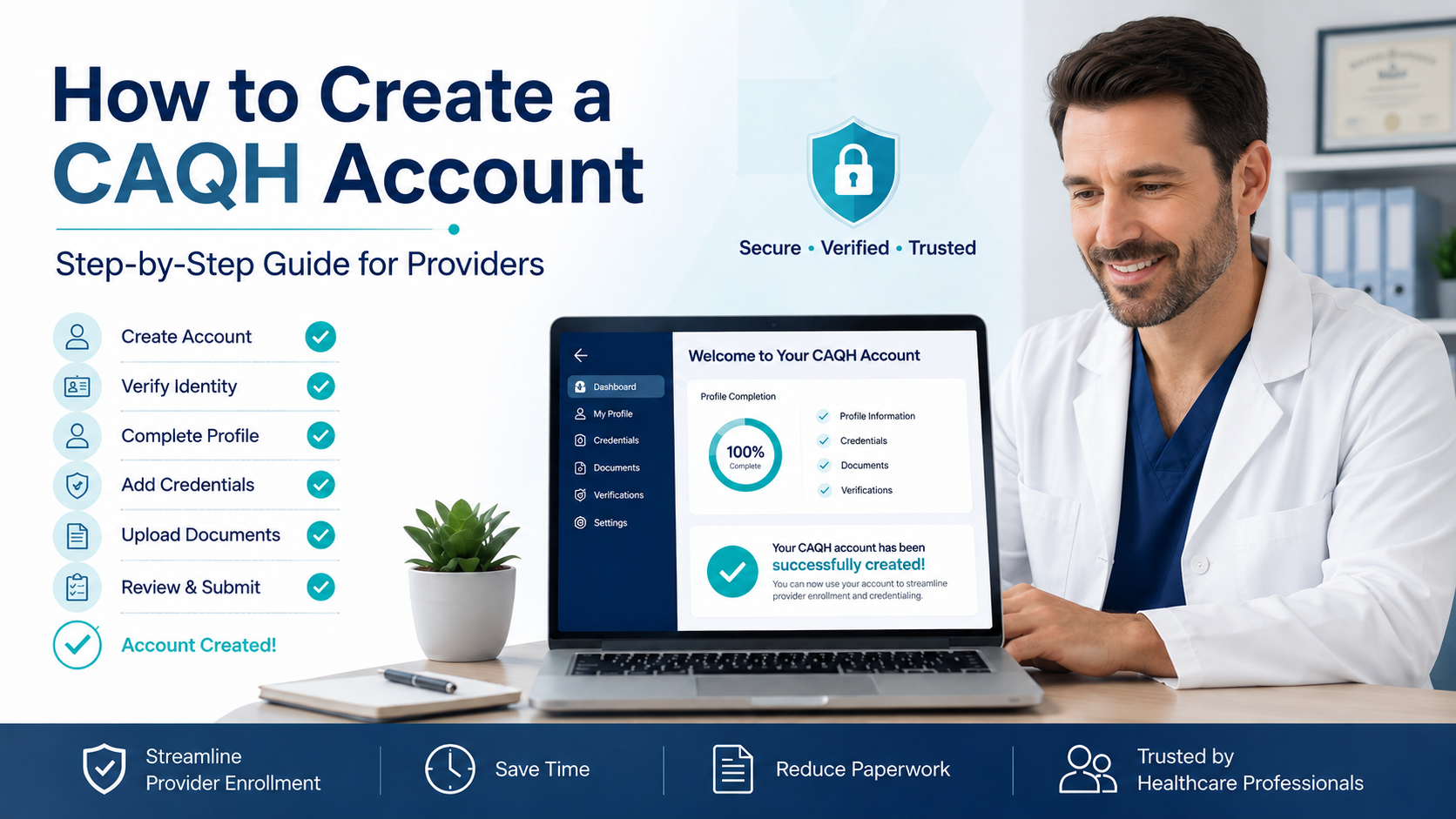
How Can Providers Complete CAQH Credentialing Step by Step?
Providers can complete CAQH efficiently by preparing their information before beginning and following a structured process.
Step 1: Confirm whether a CAQH record already exists
Use the portal’s account or CAQH ID recovery options before creating a duplicate profile.
Step 2: Register or activate the account
Use the welcome email or self-registration option and create secure login credentials.
Step 3: Assemble professional information
Prepare licenses, NPI information, education, training, specialty, employment history, hospital affiliations and practice-location details.
Step 4: Collect supporting documents
Gather current malpractice coverage, licenses, DEA or CDS documentation and any state- or profile-specific documents displayed by the portal.
Step 5: Complete every applicable profile section
Enter all required fields and save each section.
Step 6: Reconcile information across systems
Compare CAQH with:
- NPPES
- State licensing boards
- DEA records
- Malpractice insurance
- Practice contracts
- Existing payer records
Step 7: Review work-history gaps and disclosures
Add accurate explanations and supporting details where required.
Step 8: Upload the requested documents
Use the correct upload slot and verify document status.
Step 9: Authorize the appropriate organizations
Confirm that each payer reviewing the application can access it.
Step 10: Review and attest
Correct all errors and certify that the profile is accurate.
Step 11: Submit separate payer applications
Contact each health plan and complete its participation, contracting and enrollment requirements.
Step 12: Track the payer’s decision and effective date
Maintain a credentialing log that records:
- Submission date
- Reference number
- Missing-item requests
- Credentialing status
- Contract status
- Approved locations
- Network products
- Effective date
- Recredentialing date
The official guide estimates that initial CAQH profile completion may take up to two hours, with additional time depending on practice locations, postgraduate training, work history and familiarity with the system.
What Common CAQH Mistakes Cause Credentialing Delays?
The most common CAQH delays result from incomplete, inconsistent, expired or inaccessible information.
Avoid these mistakes:
- Creating a duplicate CAQH account
- Entering a nickname instead of the legal name
- Using an incorrect NPI
- Selecting the wrong taxonomy or specialty
- Omitting previous professional licenses
- Leaving expired licenses in active status
- Entering a malpractice policy number incorrectly
- Uploading an expired insurance face sheet
- Combining multiple document types
- Leaving employment gaps unexplained
- Omitting an affirmative disclosure explanation
- Forgetting to authorize the payer
- Saving changes without re-attesting
- Allowing the 120-day attestation period to expire
- Assuming CAQH automatically applies to payer networks
- Assuming a completed profile creates an effective date
- Failing to update closed or relocated practice locations
- Using different group names or addresses across systems
- Ignoring document-failure notifications
- Treating Medicare, Medicaid and commercial enrollment as one process
The best way to prevent delays is to reconcile the profile against authoritative source documents before attestation.
How Can a Practice Maintain Accurate CAQH Profiles?
A practice should treat CAQH maintenance as a recurring compliance workflow rather than a one-time application task.
A reliable maintenance schedule includes:
Monthly review
- New providers
- Departing providers
- New and closed locations
- Name changes
- Contact changes
- Payer participation activity
Sixty- to ninety-day expiration review
- State licenses
- DEA registrations
- CDS registrations
- Malpractice policies
- Board certifications
- Other time-limited credentials
Re-attestation review
- Complete profile audit
- Practice-location confirmation
- Employment update
- Disclosure review
- Document replacement
- Authorization confirmation
Immediate updates
Update the profile promptly following:
- License action
- New practice location
- Location closure
- Employer change
- Malpractice carrier change
- Legal name change
- Specialty change
- Hospital affiliation change
- New adverse action
- New payer application
The Practice Manager module can help groups enter shared location and administrative information for multiple clinicians, but providers still need to review imported information and remain responsible for profile accuracy.
When Should a Practice Consider Professional Credentialing Support?
Professional credentialing support may be useful when a practice lacks the time, staffing or experience to manage multiple providers, payers and enrollment systems.
Support can be especially valuable when:
- Opening a new medical practice
- Enrolling multiple providers
- Expanding into a new state
- Adding several practice locations
- Correcting rejected applications
- Managing frequent payer follow-ups
- Resolving inconsistent provider records
- Recovering an expired CAQH profile
- Completing recredentialing
- Tracking contracts and effective dates
- Enrolling behavioural health or specialty providers
- Coordinating commercial, Medicare and Medicaid enrollment
A credentialing service should not merely enter data. It should also:
- Verify information against source documents
- Maintain a requirement checklist
- Track document expirations
- Monitor payer outreach
- Document authorization
- Follow up on applications
- Confirm contracts
- Obtain written effective dates
- Maintain secure access controls
- Protect sensitive provider information
The provider should retain ownership of login credentials and understand what information has been submitted on their behalf.
What Is the Key Takeaway?
CAQH credentialing requires a complete, accurate and currently attested provider profile supported by the documents requested in the portal. Providers must also authorize relevant payers to access the information.
However, CAQH completion is only one stage of joining an insurance network. Providers must separately contact each payer, complete its credentialing and contracting steps, satisfy government enrollment requirements where applicable and receive a written effective date before treating patients as in-network.
What Should Providers Know About CAQH Requirements?
Is CAQH Mandatory for Every Healthcare Provider?
No. CAQH participation is voluntary overall, but many health plans and healthcare organizations require or request it from providers seeking network participation.
How Long Does It Take to Complete a CAQH Profile?
The official provider guide estimates that an initial profile may take up to two hours. Providers with multiple locations, extensive training or long employment histories may need more time.
Can a Practice Manager Complete CAQH for a Provider?
A Practice Manager can enter and export shared information for providers to review and import. The provider should still review the complete profile and remains responsible for the accuracy of the attested information.
Do Providers Need to Upload Every Professional Document?
No. Providers should upload the documents displayed as required in their portal. Requirements vary by state, provider type and profile answers.
Does a Provider Need a DEA Registration to Complete CAQH?
Not every provider needs a DEA registration. DEA-eligible prescribers are asked for applicable information, while non-prescribers may select an appropriate reason and provide additional information when prompted.
How Often Does CAQH Require Attestation?
Most providers must re-attest every 120 days. The official CAQH guide identifies an 180-day cycle for Illinois providers.
Can One CAQH Profile Be Used for Multiple Payers?
Yes. Providers can authorize multiple participating healthcare organizations to access one profile. Each payer must still conduct its own participation and credentialing process.
Does CAQH Credentialing Enroll a Provider With Medicare?
No. Medicare enrollment is completed through PECOS or the applicable CMS enrollment application. CAQH and PECOS are separate systems that must be updated independently.